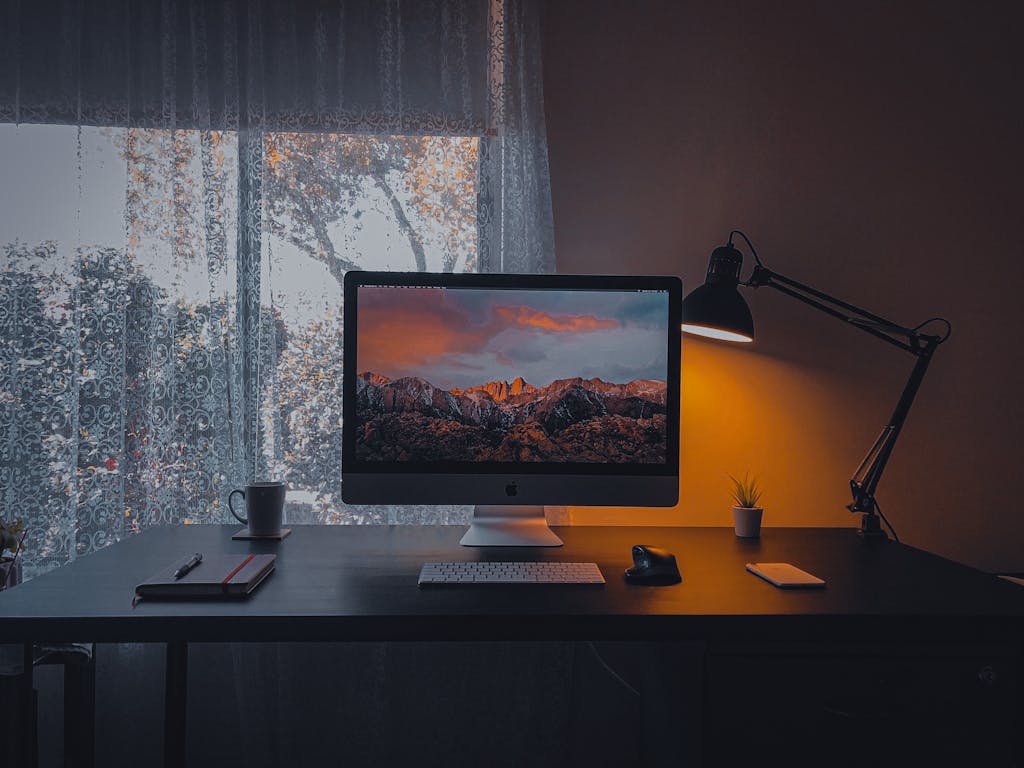
Creating a great work-from-home space is about more than just finding a quiet corner. It’s also setting up essentials that support your productivity, comfort, and long-term well-being.
This guide covers everything you need: the core furniture, necessities, and small items that pull your setup together. By the end, you’ll have a complete WFH checklist.
🧘 Ergonomic Foundation
Dining tables and couches are convenient, but can cause strain when used for more than a couple of hours. You need a solid workspace foundation.
Ergonomic Office Chair
1st priority
Price: 100 to 1200+
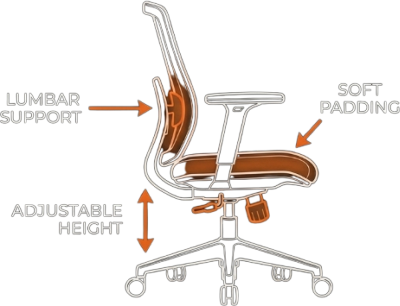
A good chair makes the biggest difference. It’s a must, providing essential support for your back and encouraging good posture.
Quick fix: If you’re stuck with a subpar chair, affordable accessories like a lumbar support pillow and a flat cushion for your bum can help.
Sitting Desk
Essential
Price: 30 to 600+
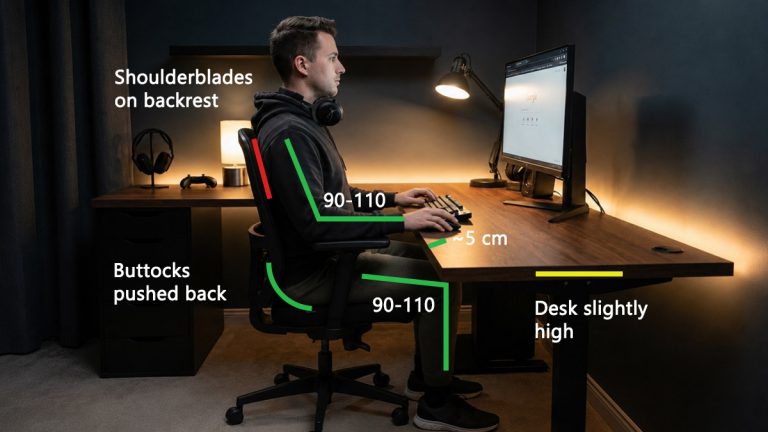
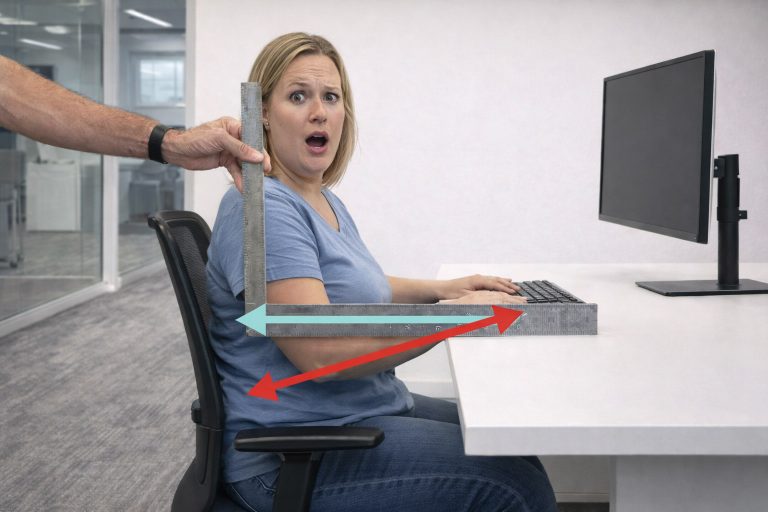
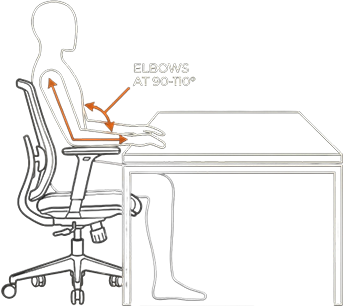
After a high-quality chair, a spacious desk is next. It should allow you to sit with elbows bent between 90 and 110 degrees, resting comfortably on the surface.
Height-Adjustable Desk
Nice-to-have
Price: 60 to 900+
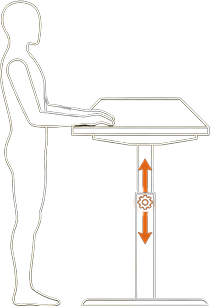
For many, a standing desk is an upgrade worth considering. It allows alternation between sitting and standing throughout the day and makes ergonomic positions more attainable by fine-tuning its height.
Desk Converter: If an electric standing desk is out of budget, a desk converter lets you add standing capability to your existing setup. It brings the monitor, keyboard, and mouse up, but won’t fix sitting ergonomics, and they’re often shaky and add bulk to your setup.
Foot Support
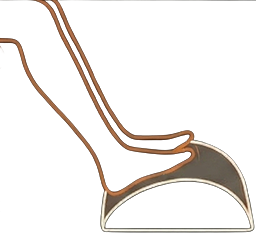
Under-Desk Footrest
Nice-to-have
Price: 20 to 80+
If your feet dangle, a dedicated footrest can relieve pressure on your lower back. Options include simple slanted wedges, textured ones for massage, or soft ones.
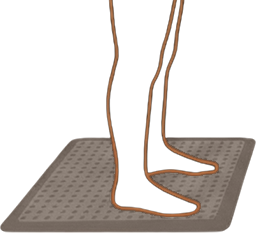
Anti-Fatigue Mat
Nice-to-have for standing
Price: 30 to 100+
These provide a cushioned surface that encourages subtle muscle movements, promoting blood flow and reducing strain when standing on hard floors for long periods. Their usage is common in WFH setups with standing desks, reducing overall physical tiredness.
💻 Monitor & Laptop Positioning
Your monitor(s) should be positioned so your eyes are 1 to 3 inches (2.5 to 8 cm) below the top of the screen to reduce neck strain and promote better posture. Most monitors are adjustable, but if you need more height or flexibility, consider:
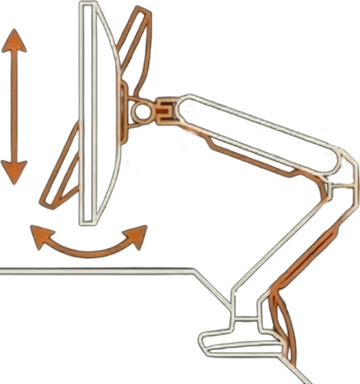
Monitor Arm
Nice-to-have
Price: 30 to 200+
These accessories provide a full range of motion, allowing you to fine-tune height and angle while saving valuable desk space by mounting your display directly to the desk or wall.
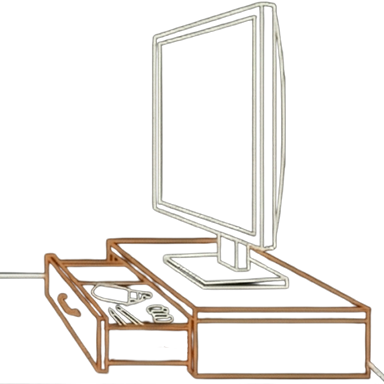
Monitor Stand
Nice-to-have
Price: 20 to 80+
A simple way to raise your monitor, and many even include a storage drawer.
Alternatively, you can just use a stack of sturdy books to bring up the height.
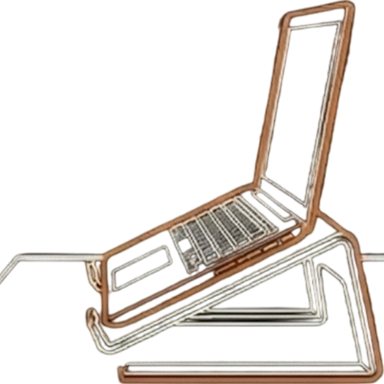
Laptop Riser
Almost essential
Price: 20 to 70+
Laptops can make or break you. They’re smaller, shorter, and you’d be spending a lot more time hunched over. A laptop riser can bring the screen closer to eye level.
⌨️🖱️ Keyboard and Mouse
A mouse quick tip:
Pick a mouse with at least two side buttons. These let you go forward and backward in the browser. Once you get used to them, it’s hard to go back.
If you work from home, choosing the right keyboard size is more nuanced than picking a mouse. There are several practical options, and the size you choose directly affects how your desk setup feels and how efficiently you work.
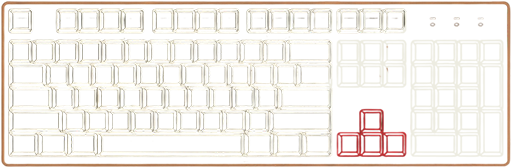
Full-Size Keyboard
Best for number-heavy work
Choose this if: you use Excel, finance tools, or type numbers daily.
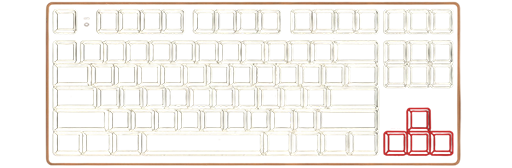
Tenkeyless (TKL) Keyboard
Best for most remote workers
Choose this if: you don’t need a numpad every day, but you want comfort and every useful key.
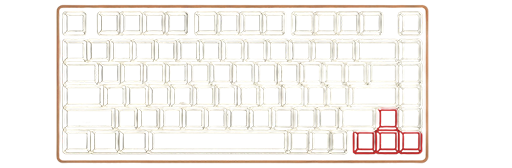
75 Percent Keyboard
Best for smaller desks
Choose this if: you want something small but still “normal.”
📷🎤 Webcam and Microphone
A good HD webcam or camera makes you look sharper and more professional. Even if you have a laptop with built-ins they’re often poor, so an upgrades may be worth it.
Audio is even more important and having a dedicated microphone is almost a must. For the best blend of quality and simplicity, most WFH professionals choose a USB microphone. Good audio is crucial for not fatiguing and annoying coworkers in meetings.
If you use the microphone often it might be worthwhile to get a mic boom arm, just don’t get super cheap ones that squeak.
🎧 Noise-Reducing Headphones
Headphones are arguably the best tool for safeguarding your productivity in a shared home environment. There are 2 popular types for creating a calmer environment:
Passive noise isolation
Uses thick materials and a seal to damped the outside environment.
Choose if your workspace is pretty quiet, with occasional interruptions or sounds like people talking, or keyboard noise.
Active noise cancellation
Uses embedded technology to neutralize low-frequency, monotonous sounds.
Choose if you have a constant background hum (AC, fridge, distant road noise) that really distracts you.
Overall passive noise isolation is better for most people.
🔊 External Speakers
Headphones are great for focus, but wearing them all day hotboxes your ears. If your monitor doesn’t have built-in speakers getting external ones gives you a comfortable listening alternative.
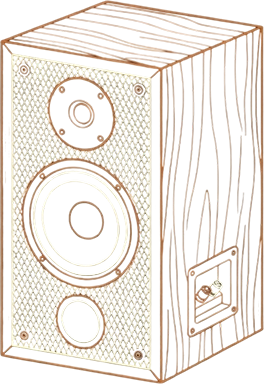
Speakers
Nice-to-have
Price: 30 to 80+
You don’t need anything fancy, a simple speaker puck or desktop speaker is enough to give your ears a break from headphones.
📈 Productivity & Desk Organization
Desk Organizer
A tray for pens, markers, and sticky notes is invaluable. When you have one place for frequently used items, you spend significantly less time hunting and can keep your workspace effortlessly neat.
Mouse bungee
If your mouse isn’t wireless, bungees can hold the cable off the desk, ensuring a snag-free, smooth experience. Nothing is more distracting than your mouse cable pushing back or getting in the way, and this is a solid solution to that.
Cable clips, ties and sleeves
Taming the wires is essential for aesthetics and an unobstructed workspace, here’s things you’d need.
Clips and ties
Neatly gather and secure wires to the underside or back of the desk.
Cable sleeves
Bundle multiple cables into a single, neat conduit, dramatically reducing visual clutter.
Desk Mat
This is the best accessory, it protects your desktop, provides a smooth, consistent surface for your mouse, and reduces keyboard and mouse noise.
Note Taking
Having a way to write down stuff is gold, a simple stack of sticky notes, notebook or a whiteboard are great alternative to storing everything on the computer, which can be risky.
Time Management Tools
Digital timers or productivity apps (like Pomodoro timers) can remind you to take breaks and structure deep work sessions.
Quick Tip for Overthinkers: Hourglasses are great for quick decision-making, just flip the hourglass. Whatever decision you make until the sand runs out, that’s it.
💡 Wellness & Atmosphere
Finally, set the right mood and support your health for long-term WFH sustainability.
Task light or monitor bar
Good overhead light (or natural sunlight) combined with a lamp on your desk can prevent eye strain.
The goal is balanced lighting. A desk lamp or monitor bar with dimming and color controls is ideal. It provides glare-free illumination and can set the mood for focus.
In darker months or in windowless rooms, try a soft warm light to reduce fatigue.
Face Lights
Lighting tech is often overlooked but important. For video calls, many people add a ring light that provides even light on your face. This is especially useful if your room’s main light isn’t bright or is behind you.
Background decor lights
To add a touch of professionalism you can play around with your background decor. Even a simple beautiful light decor can enhance the place and give warmth.
Small Exercise Tools
Hand grip strengtheners, resistance bands, or small dumbbells can be kept close by to remember using them during small breaks. You can also do calisthenics, but having variety is more fun.
Hydration
Don’t use cheap bottles. You are at home, you have no excuse. Use a glass or a very high-quality bottle that won’t leach microplastics.
When you’re working from home, you’re 100% working from the brain: take good care of it.
Personal touches
This is your space. Put things that you like or that would motivate you. Moodboards, artwork, plants, whatever. It makes the space feel more welcoming.
Budget WFH Checklist
Setting up a comfortable workspace does not have to happen all at once. This checklist gives you a quick view of what is essential, what is helpful, and what is optional depending on your needs. Use it to plan upgrades based on your budget and your priorities.
🔴 Essential | 🟠 Nice to Have | 🟢 Optional
🧘 Ergonomic Foundation | Price Range |
|---|---|
Ergonomic Office Chair | 150 to 1200+ |
Lumbar Support Cushion | 15 to 60+ |
Sitting Desk | 160 to 600+ |
Height-Adjustable Desk | 285 to 900+ |
Desk Converter | 50 to 350+ |
Anti-Fatigue Mat | 30 to 100+ |
Under-Desk Footrest | 20 to 80+ |
🎧 Audio & Focus | Price Range |
|---|---|
Passive noise isolation headphones | 30 to 150+ |
Active noise cancellation headphones | 70 to 300+ |
Desktop Speakers | 20 to 50+ |
📈 Productivity & Desk Organization | Price Range |
|---|---|
Timer or Hourglass | 8 to 25+ |
Desk Organizer | 5 to 50+ |
Cable Management Kit | 15 to 60+ |
Desk Mat | 15 to 100+ |
Mouse Bungee | 10 to 30+ |
Visual Planner or Notebook | 5 to 30+ |
Monitor & Laptop Positioning | Price Range |
|---|---|
Monitor Arm | 30 to 200+ |
Monitor Stand | 20 to 80+ |
Laptop Riser | 20 to 70+ |
Laptop Tray Arm | 35 to 100+ |
⌨️🖱️ Keyboard and mouse | Price Range |
|---|---|
Keyboard | 25 to 130+ |
Mouse | 20 to 80+ |
📷🎤 Webcam and Microphone | Price Range |
|---|---|
Webcam | 30 to 300+ |
Microphone | 25 to 250+ |
Mic Boom | 20 to 100+ |
Ring/Face light | 25 to 150+ |
💡 Wellness & Atmosphere | Price Range |
|---|---|
Task Lamp | 25 to 100+ |
Small Exercise Tools | 10 to 50+ |
Plants & Decor | 5 to 100+ |
💰 Estimated Basic Setup Cost
Next Steps
This comprehensive guide covered essentials spanning everything from core comfort to communication tools. As you build or upgrade your ideal setup, always remember that ergonomics remains the true, non-negotiable essential. Items like your chair and desk form the bedrock of long-term health and productivity.
While everything beyond that foundation elevates your space from functional to exceptional, our goal was to provide a definitive list of essential work from home items for the majority of professionals.
We encourage you to use this guide to perfect your workspace. If you feel we missed a crucial tool or have a specific suggestion to improve this WFH checklist, please share your feedback in the comments or reach out via email to contribute to the discussion.