Tired of propping up your phone against random objects?
A phone holder makes life much easier. But with so many variants, it’s not always obvious which one fits your needs best. Let’s break down different phone holder types and compare how they work in different spaces.
Quick Comparison of Phone Holders
Type | Pros | Cons |
|---|---|---|
Fixed Stand | Simple, durable, and affordable | One fixed viewing angle |
Adjustable Stand | Tilts for more better viewing angles; often foldable | Some models feel flimsy |
Gooseneck | Extremely flexible, position your phone anywhere, even overhead | Wobbly during interaction and bulky |
Articulating Arm | Similar in reach to Goosenecks but more precise and stable | Bulky, slight mechanical noise, least portable |
Wall Mount | Frees up space, always there | Fixed position, requires installation |
Magnetic Mount | Quick attach and detach, minimal design | Requires metal plate or MagSafe |
Pop Socket / Ring Grip | Improve grip, double as a mini stands | Limited angles, adds bulk, blocks wireless charging |
Desktop Stands
The most popular type of holder is the desktop variant. They can be adjustable or fixed. Both greatly improve simple multitasking – video calls, watching videos, eating – without having to cradle your phone in your hand.
Fixed Stands
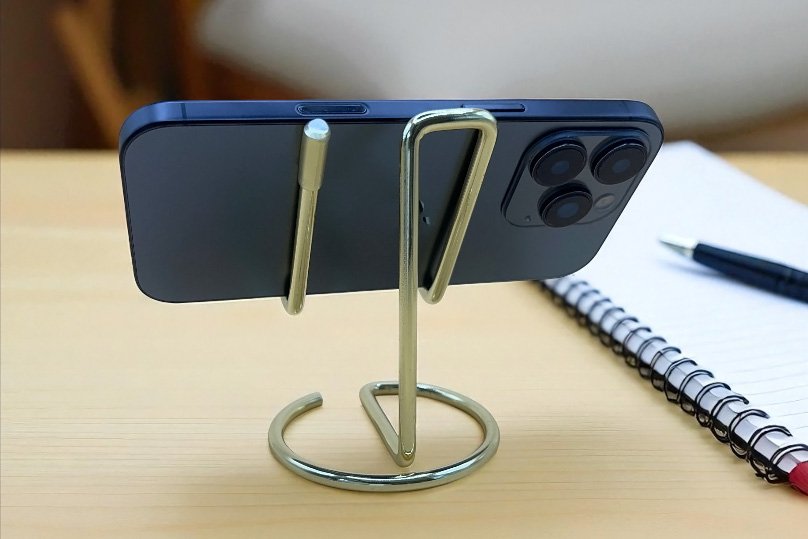
Because they are so simple, fixed stands can have more fun or pretty forms.
They’re usually just one continuous piece of plastic, metal, or other material, which makes them hardy. You can find them for ten bucks or less at most gadget shops.
These stands usually have only one angle, so they work best when your needs are predictable, like using a home office desk or a cooking countertop that’s at a comfortable height.
Adjustable Stands
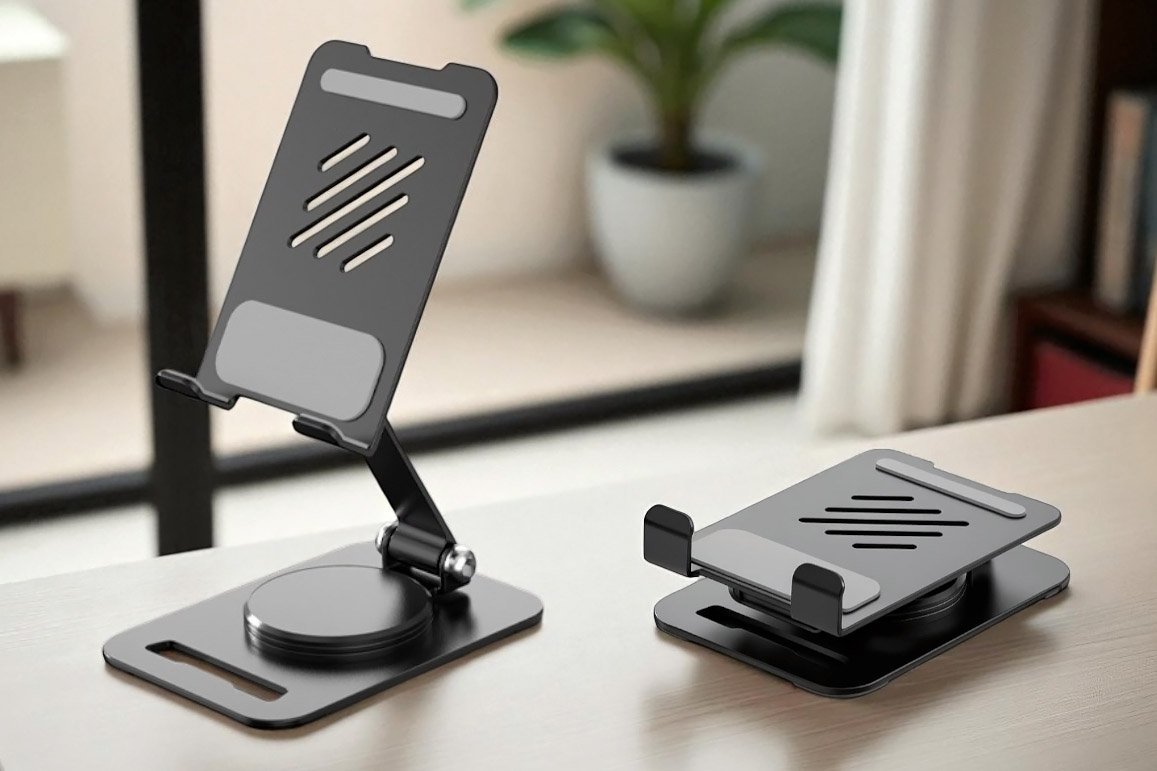
With hinges or built-in mechanisms, you can change the angle, rotation, and even the height on adjustable stands. You can angle your phone for less screen glare and more comfortable viewing.
Many fold completely flat for easy storage in luggage.
These can be slightly more expensive than pure fixed stands, but the extra angles are worth it. They still don’t raise your phone very high, but in our tests they beat fixed stands by a mile and rate as excellent overall.
Magnetic Stands
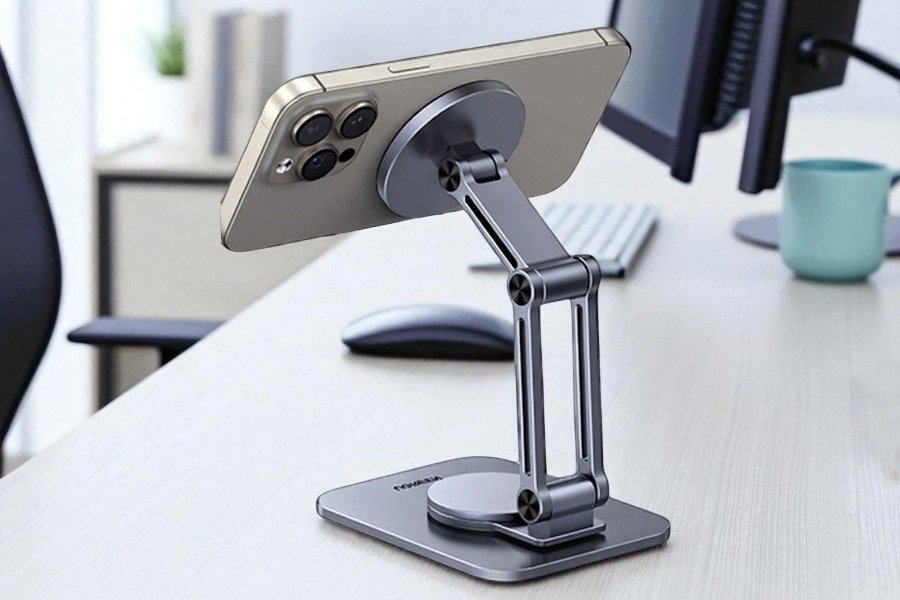
The big advantage is being able to snap-on instantly and come off just as quickly, making them great for quick pickups. Magnetic stands have a minimalist look that works well on desks, and in kitchens they are easier to clean due to their design.
Check your phone. Newer iPhones have built-in magnetic compatibility through MagSafe. Other phones may need a thin metal plate attached to the back of the device or case. Most kits include these, but they can block wireless charging, and the magnets may interfere with sensors.
Magnet strength varies, and you don’t know what you’re getting until you try it. If it’s weak and gets bumped, the phone can fall off.
Flexible Arm Holders
These can reach eye level by twisting or pivoting their long body in the air. They can clamp onto surfaces or sit on weighted bases, giving you more control over where your device goes.
Gooseneck Holders
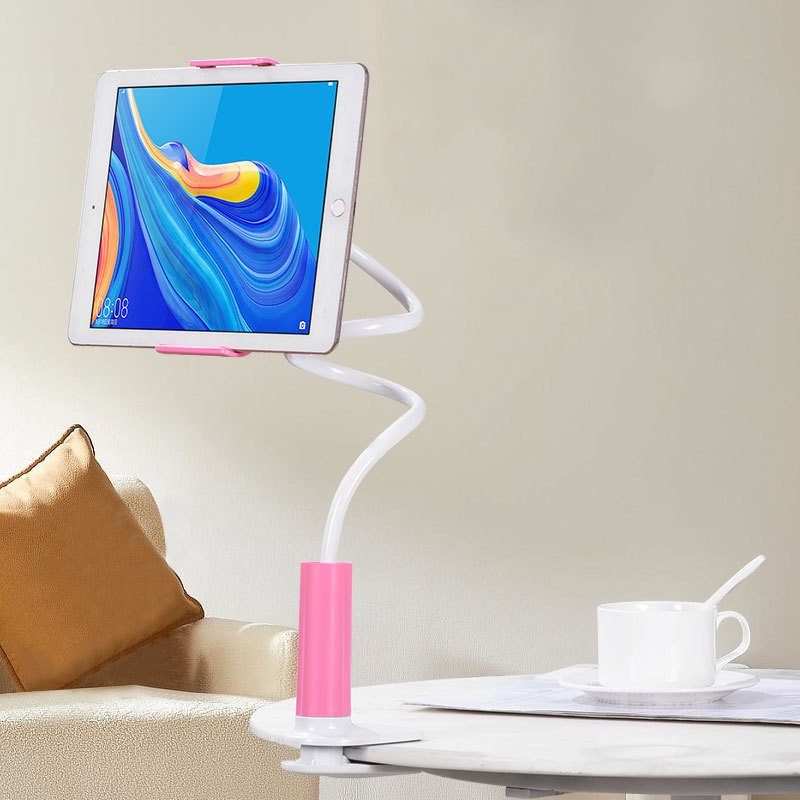
Goosenecks have a long, smooth neck that bends. They’re the most flexible option and work well for watching videos in bed, filming, or any situation where you need angles that are impossible with regular stands.
You might wonder why these are not more popular. Here are the downsides. Gooseneck holders can be shaky and sometimes too stiff. Positioning the tube may require some muscle, so purchasing a high-quality one is recommended.
They’re ideal for lounging and static use, like watching movies, but not great if you’re interacting or gaming.
Most goosenecks have a clamp that secures to furniture edges like desks, bed frames, or kitchen counters. When not in use, they take up more space than other stands.
Articulating Arms
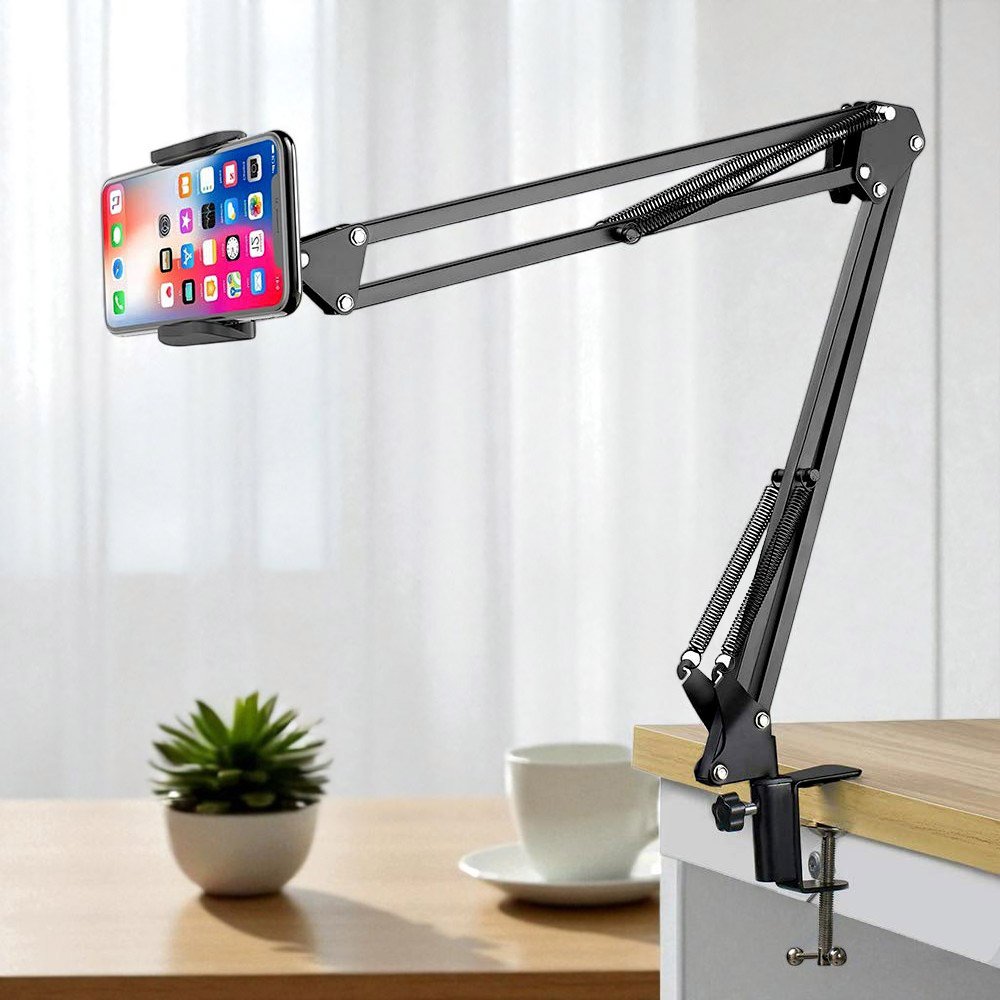
These work a little like professional microphone arms used on podcasts, with the same adjustable, multi-jointed design and precise positional control.
They’re very versatile and can swivel, extend, and even fold in on themselves.
Compared to goosenecks, their main advantage is stability and ease of use. They suit a wide range of setups and work well for content creation at home.
The downside is bulk. They’re not great for travel, can feel like overkill for casual use, and cheaper versions may produce slight mechanical noise. Clamp and weighted base versions offer flexible placement depending on your setup.
Wall Mounts
Used on vertical surfaces, these free up counter or desk space while keeping your phone easily viewable and safely away from spills.
They come in different installation types and reach.
Screwed In or Adhesive
Commonly wall mounts attach using screws, brackets, or strong adhesives. They’re best installed in places where you’ll use them long term and want maximum stability.
A permanent or semi-permanent hands-free setup like this is a commitment, but it gives off an undeniably clean look.
Long-Range Mounts
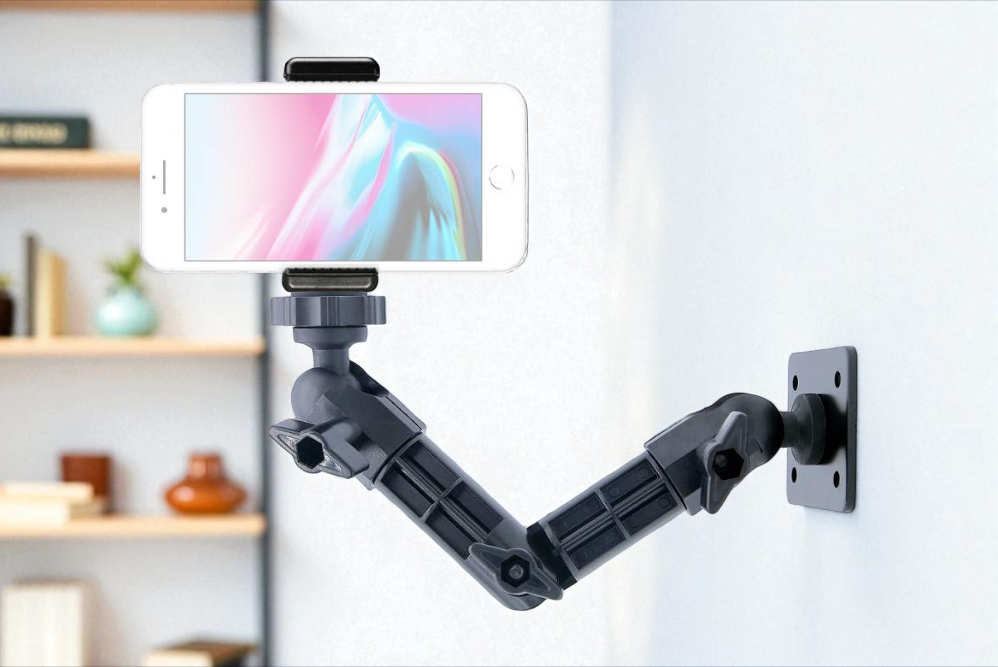
Extending from the wall, these let you maneuver your phone easily and position it at eye level. They make sense if you frequently use your phone in the same spot and value adjustability.
They’re great for workshops, kitchens, or even PC setups, but the main advantage over holders that clamp to furniture is their look, and possibly a bit more stability.
Short-Range Mounts
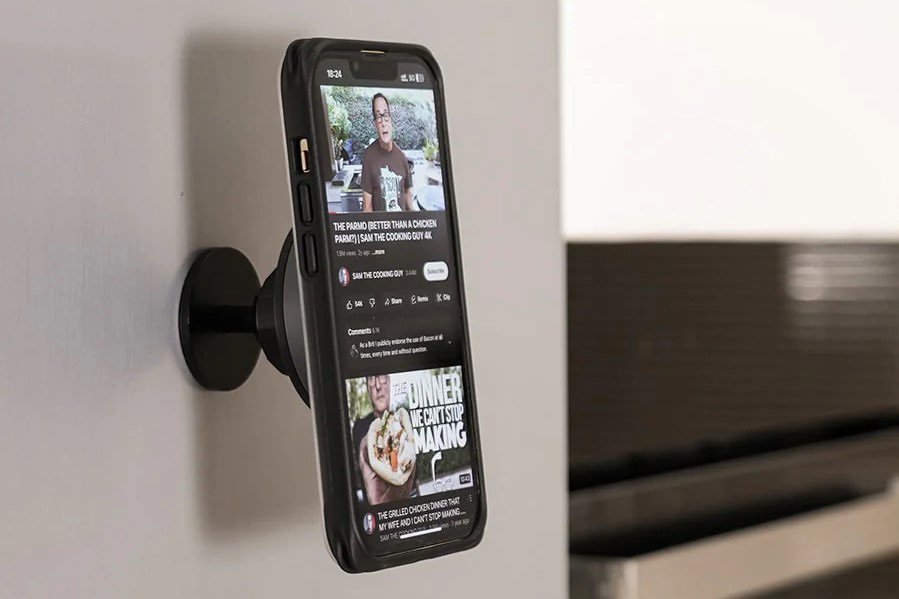
These hold your phone close or flush to the wall, creating a sleek, space-saving look. They’re practical for quick glances at recipes, playing music and podcasts, or smart-home dashboards.
Short-range mounts also often incorporate magnets, making it easy to snap your phone on and off. Adjustability is limited, if present at all.
Suction Cup Mounts
A non-permanent alternative, these work reliably only on smooth surfaces like tiles, glass, or mirrors.
Suction-based mounts are mainly advertised for car windshields, though they also work in places like bathrooms, beauty setups, or anywhere with a suitable surface.
Phone Attachments
This category covers accessories that stick directly to the phone itself. They’re not standalone stands, but they often double as grip enhancers. We’ll focus on the most common options, though the market has plenty of clever variations, some of which fold out almost like a proper stand.
Pop Sockets
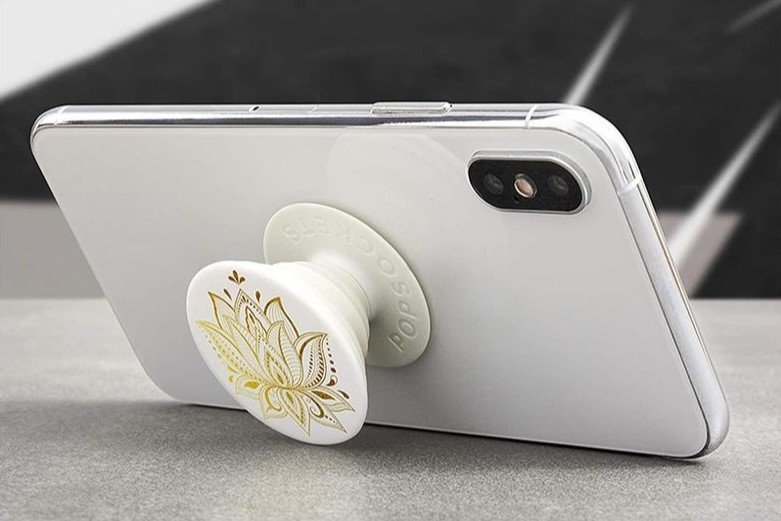
PopSockets are small, button-shaped accessories that stick to the back of smartphones, tablets, or e-readers. Using an accordion-style mechanism, they collapse flat when not in use and pop out as needed.
When extended, you can slip your fingers between the base and stem for a secure one-handed hold. This makes texting or taking selfies easier and helps prevent drops, especially on larger phones. They can also prop your phone up as a small kickstand in landscape orientation.
They’re affordable, always with you, and ridiculously customizable – you’ll find every design imaginable, from textures to team logos and photo prints. The trade-offs are limited viewing angles, no real elevation, and blocked wireless charging due to the added bump.
Phones also won’t lie flat on a table when attached, which some people find irritating. Overall, a PopSocket works more as a useful bonus than a true stand. Still, they’re fun, and having a built-in grip is undeniably handy.
Ring Grips
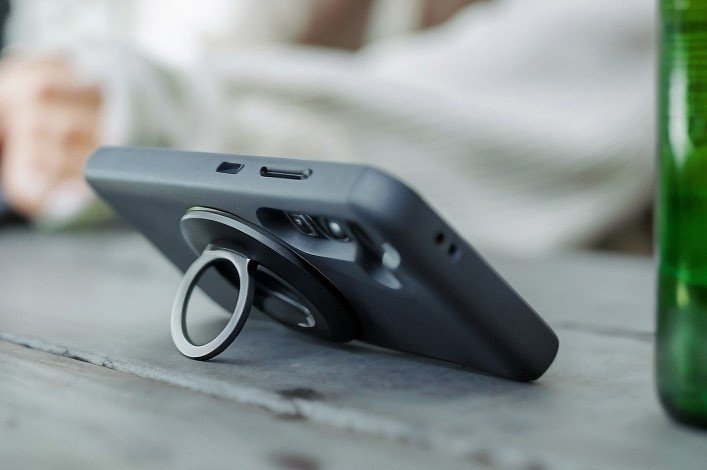
Ring grips are metal loops attached to the back of a phone. They rotate a full 360°, like a mini fidget toy. Slip a finger through the loop for a secure hold, or flip the ring open to prop your phone horizontally on a flat surface.
Some versions even unfold into multiple rings, allowing vertical propping as well. The loops are thin and fold nearly flat when not in use, making them more convenient overall.
Many modern phone rings are magnetic, letting your phone snap onto magnetic mounts, fridges, or other metal surfaces.
Like other phone attachments, ring grips interfere with wireless charging. They add some weight and bulk, though it’s generally less noticeable than with a PopSocket. Functionally, they work well as a tabletop stand but aren’t ideal if you want to spare your neck or keep your screen at eye level.
Overall, ring grips are a step up. They’re slimmer, more adjustable, and slightly more versatile.
Comfort & Practicality by Use Case
What works well in one space might flop in another. Below are star ratings (1–5) showing how different holder types perform for the average user. Your needs may vary.
| Stand Type | Desk Work | Kitchen Use |
|---|---|---|
| Adjustable Stand | ⭐⭐⭐⭐⭐ | ⭐⭐⭐⭐ |
| Magnetic Stand | ⭐⭐⭐⭐⭐ | ⭐⭐⭐⭐⭐ |
| Wall Mount | ⭐⭐⭐ | ⭐⭐⭐⭐⭐ |
| Gooseneck (weighted base) | ⭐⭐⭐ | ⭐⭐⭐ |
| Fixed Stand | ⭐⭐⭐ | ⭐⭐⭐ |
| Articulating Arm (clamp-on) | ⭐⭐⭐⭐ | ⭐ |
| Articulating Arm (weighted base) | ⭐⭐⭐⭐ | ⭐⭐ |
| Gooseneck (clamp-on) | ⭐⭐ | ⭐⭐⭐ |
Desk
Adjustable stands and adjustable magnetic stands perform best at desks, offering easy angle control and quick access for frequent pickups.
Clamp-on articulating arms are a strong second choice, especially for heavy users who want eye-level viewing without desk clutter.
Fixed stands and goosenecks sit in the middle. Both are usable, but limited by either adjustability or awkward positioning.
Wall mounts rank lowest for desks. While very stable, they make less sense when clamp-on options already work well.
TL;DR: For desks, choose an adjustable stand or a clamp-on articulating arm. Magnetic stands are great for quick access. Fixed stands work if you want something simple. Wall mounts only make sense if your phone stays in one spot.
Kitchen 🍳
Wall mounts perform best in kitchens, keeping phones at eye level, away from spills, and completely out of the way while cooking.
Magnetic stands come next. They don’t reach as high, but their open, smooth designs are easy to wipe clean.
Adjustable and fixed stands work, especially on raised surfaces like windowsills.
Goosenecks and articulating arms rank low for kitchens. They take up counter space and are harder to you definitely don’t want to clean the springs of an arm.
PopSockets and ring grips are usable if you already have an elevated place to rest your phone.
Bed and Couch 🛌
The goal here is holders that you can use while lying down without sinking into the soft, comfy surface of mattresses and couches.
| Stand Type | Bed | Couch |
|---|---|---|
| Pillow Phone Holder | ⭐⭐⭐⭐ | ⭐⭐⭐⭐⭐ |
| Gooseneck Stand (clamp-on) | ⭐⭐⭐⭐⭐ | ⭐⭐ |
| Articulating Arm (clamp-on) | ⭐⭐⭐⭐⭐ | ⭐⭐ |
| Gooseneck Stand (cushion base) | ⭐⭐⭐⭐ | ⭐⭐⭐ |
| Articulating Arm (cushion base) | ⭐⭐⭐ | ⭐⭐⭐⭐ |
For lounging, clamp-on goosenecks and articulating arms earned top marks for flexibility and hands-free viewing. Clipped to a bed frame, they allow a wide range of angles, including overhead use while lying down. The main consideration is reach, as shorter arms may not extend far enough.
A unique pillow phone holder excelled on couches where there’s nowhere to clamp, but limited adjustability makes them less suitable for bed use. They require no setup and work on any surface.
Weighted or cushioned goosenecks and articulating arms also performed well. They can rest beside you or on your lap, offering elevation and adjustability without attachment points.
Now go forth and use your newfound binge-watching powers with measure.
Making Final Choice
So, what’s the perfect phone holder type? It depends on where and how you use your phone:
- Start with location: Need it on your desk? Can it fit?
- If you move your phone around often or aren’t sure yet, a foldable adjustable stand is usually the safest choice.
- Next, consider flexibility: Think about the height, angles, and level of maneuverability you actually need.
Many households end up with more than one holder. You might love an adjustable stand at your desk and a gooseneck for bed.
Before buying, double-check your phone’s size against the holder’s specs to ensure a proper fit.
There are plenty of niche options, like tripods or charging docks, but for everyday home and desk use, the holder types covered here handle almost all scenarios.
Ultimately, the best holder is the one that fits your habits. Are you constantly on calls? A fellow YouTube in bed and cooking enjoyer? With the right choice, you’ll elevate (literally!) your phone experience and perhaps say goodbye to that infamous pain in the neck. Enjoy your hands-free viewing!