In the world of high-performance sports, no athlete would dream of entering a competition with ill-fitting shoes. They understand that their equipment is an extension of their body, critical to their speed, accuracy, and endurance. Yet, in the world of knowledge work, millions of professionals settle for the office equivalent of running a marathon in flip-flops.
We spend over 90,000 hours of our lives at work, often sitting in chairs that compress our spines, staring at screens that strain our vision, and typing on keyboards that bend our wrists backward.
First What Is Ergonomics?
Derived from the Greek words ergon (work) and nomos (laws), ergonomics is the applied science of designing work environments to fit the people who use them. Simply put, it ensures that the “friction” between your body and your work is reduced.
This friction manifests not only as physical injury but as fatigue, increased error rates and reduced morale.
Why Is Ergonomics So Important To Computer Users
The human body is maladapted to static desk work.
While the risks of a factory floor are visible, the repetitive, and constrained postures of the office accumulate silently until they manifest in pain or injury. Under natural conditions, the body repairs during rest. However, in a frequent non-ergonomic environment the rate of tissue damage can exceed the biological repair.
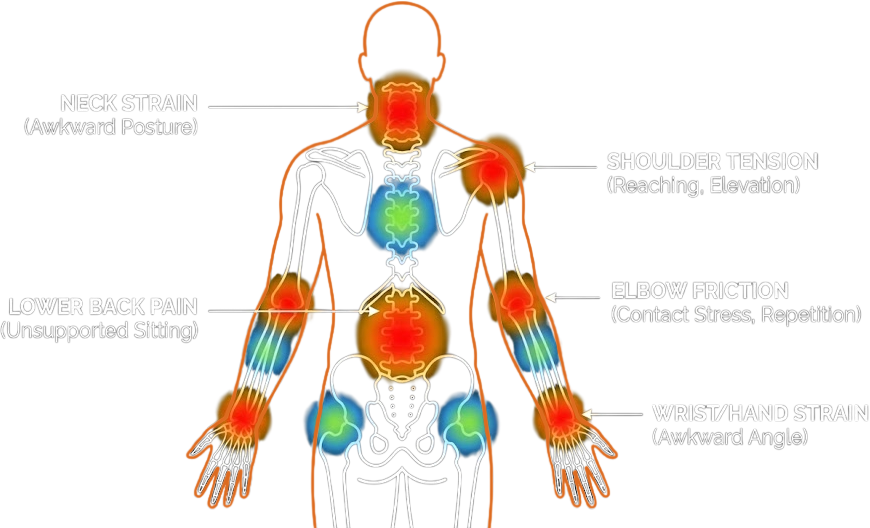
When a workstation is not ergonomic, the worker is forced to adapt their body to the equipment. This mismatch creates physical stress, which inevitably bleeds into mental performance.
Its important to have an ergonomic workstation, because in the modern economy, your body and your mind are your primary assets. Protecting them isn’t just a health requirement; it is the foundation of sustainable performance.
Turning Comfort into Profit
Consider the “cognitive tax” of discomfort from a business viewpoint.
When you are sitting in a non-ergonomic setup, your brain is constantly processing low-level pain signals from your lower back, your straining eyes, or your compressed wrists. This processing consumes neural resources. By eliminating these distractions, an ergonomic workstation frees up your bandwidth for problem-solving.
Let’s run through shorter term payouts.
The costs of not having ergonomic computer setup, manifested in productivity, medical payments, and lost wages are staggering.
The Return on Investment of Ergonomics
The financial upside of intervention is equally compelling. A comprehensive review of 250 case studies by the Washington State Department of Labor and Industries found that ergonomic interventions resulted in:
- A 25% increase in productivity.
- A 59% reduction in musculoskeletal injuries.
- A 75% reduction in lost workdays.
Perhaps most strikingly, the cost-benefit ratio is heavily skewed in favor of action. Research indicates that for every $1 invested in ergonomics, businesses see a return of anywhere from $3 to $15. This ROI comes not just from avoiding injury, but from the elimination of “presenteeism”, the phenomenon where employees are present at work but functioning at a fraction of their capacity due to pain or fatigue.
The Cost of Injury
According to the 2024 Liberty Mutual Workplace Safety Index, injuries resulting from awkward postures and non-ergonomic movements cost U.S. businesses approximately $3.68 billion per year in direct costs.
- Direct Costs: The average direct cost of a single musculoskeletal disorder claim can exceed $14,000.
- The Multiplier Effect: For every dollar spent on direct costs, companies spend an estimated $2.12 to $5.00 on indirect costs, such as hiring temporary staff, training replacements, and administrative time.
How Comfort Fuels the Brain
There is a direct causal link between physical fatigue and work quality. As muscles fatigue, fine motor control degrades. One study involving 4,000 users showed that ergonomic furniture changes reduced error rates from 25% to 11%. Another study noted a 67% decrease in scrap and errors following ergonomic improvements.
Discomfort breaks focus
Every time you shift in your chair to relieve back pain or rubs their neck, their train of thought is interrupted. An ergonomic setup reduces these physical interruptions, allowing for sustained attention.
Noise and Light
A truly ergonomic workstation should go beyond the physical feeling an go into the sensory environment to optimize cognitive load.
Lighting temperature matters. Research suggests that “cool” light (around 4000K to 6500K) promotes alertness and focus by suppressing melatonin, making it ideal for morning work. Conversely, warm light (under 3000K) is relaxing but can induce drowsiness.
“Irrelevant speech” or background conversations is one of the biggest destroyers of productivity. Even if you aren’t listening, your brain automatically processes it, which interferes with reading and writing. Noise exposure can degrade cognitive performance on complex tasks by 5–10% and elevate cortisol (stress) levels.
Protecting Your Eyes
When cognitively engaged and staring at a screen your blink rate drops significantly. This causes the tear film to evaporate, leaving the eyes vulnerable. However, this is often compounded by screen glare, improper viewing distance, and poor lighting. Together, these factors result in ‘Computer Vision Syndrome,’ a condition characterized by headaches, blurred vision, and dry eyes.

- The Hidden Workout: If your monitor is too close, your eye’s ciliary muscles must remain in a constant state of contraction to maintain focus. This leads to fatigue.
- The Solution:
- Distance: Place the monitor at arm’s length.
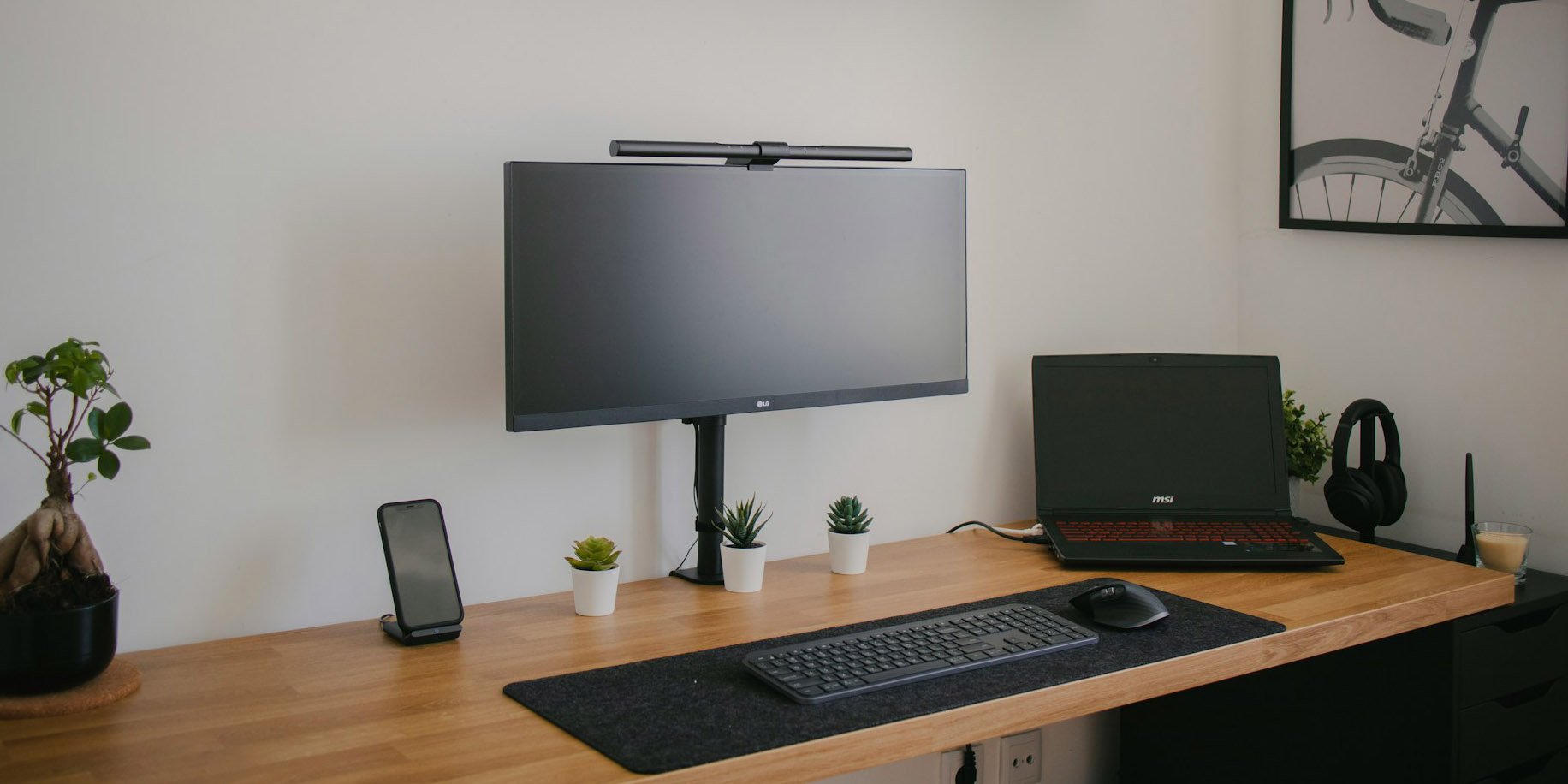
- Height: Position the screen so that when looking straight ahead, your eyes align with the browser tabs or top address bar. This ensures that as you read content, your gaze naturally falls 15–20 degrees downward. This downward gaze ensures your eyelids cover more of your eye, significantly reducing evaporation.
Making A Workstation More Ergonomic
The core principle of ergonomics is “Neutral Posture”—the position where your joints are least stressed and your muscles are at their resting length. Here is how you can start optimizing your equipment.
The Chair
Sitting is the foundation of all workstation ergonomics. It must be adjustable to fit your specific limbs.
Things to know about chair ergonomics:
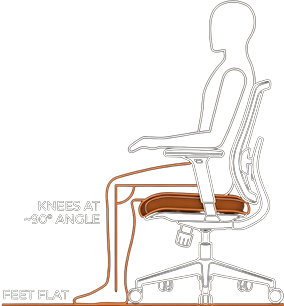
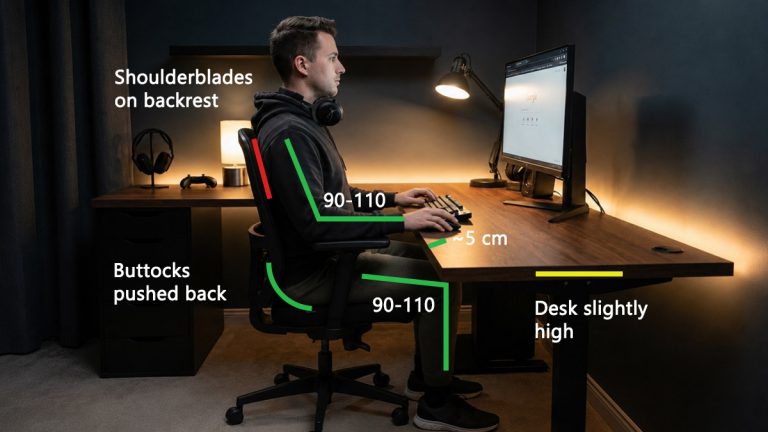
- Support: Adjust your seat so your feet rest flat on the floor (or a footrest) and your thighs are parallel to the ground, the knee angle should be 90 to 110 degrees.
- Seat Pan Depth: There should be a 2–3 finger gap between the edge of the seat and the back of your knees. If the seat is too deep, it cuts off circulation; if too shallow, it leaves your thighs unsupported.
- Lumbar Support: It must fit snugly into the curve of your lower back.
- Myth Buster: The Stability Ball: While stability balls are great for exercise, they are terrible office chairs. Research shows they do not improve core strength during sitting but do increase spinal shrinkage (compression) and discomfort because they lack back support.
Keyboard Ergonomics
Standard keyboards often have feet at the back to tilt them up toward you (positive tilt). This is ergonomically backwards as it forces your wrists into extension.

The Fix: You want a negative tilt. The keyboard should be tilted away from you (front higher than the back), or at least flat. This keeps your wrists in a straight, neutral line with your forearm, opening the carpal tunnel and reducing compression.
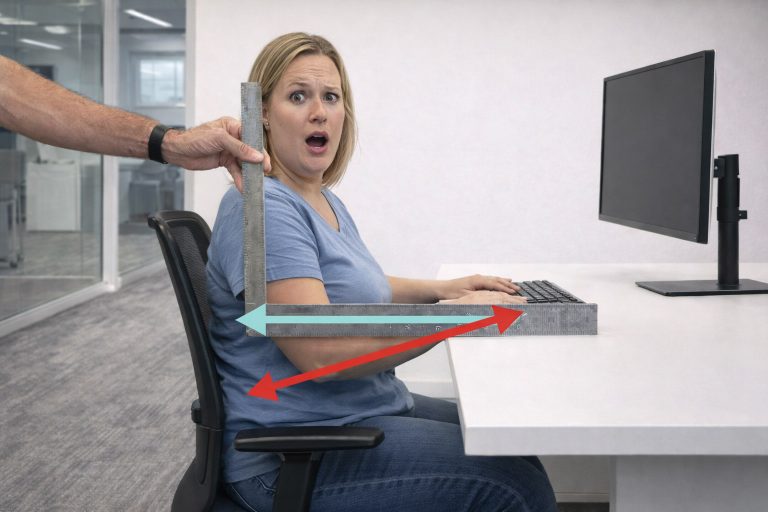
The keyboard and mouse should be at the same height, allowing your elbows to bend at 90 to 110 degrees. To get an estimate of your keyboard optimized desk height, we have an ergonomic keyboard calculator that takes into account the thickness of the keyboard to reduce wrist extension.
Your elbows should also be close to your sides and not reaching for the input devices.
The Laptop Problem
Laptops are an ergonomic nightmare. Because the screen and keyboard are connected, you cannot have both at the correct position simultaneously. If the screen is at eye level, your hands are too high. If your hands are comfortable, your neck is bent down.
The Golden Rule: Never use a laptop flat on a desk for more than an hour.
You must “decouple” the screen and keyboard. Consider using a laptop stand to raise the screen to eye level and an external keyboard and mouse on the desk.
The Standing Desk Reality
Standing desks are powerful tools, but they are not a cure-all. Standing for 8 hours is just as bad for you as sitting for 8 hours, it just stresses different body parts (knees, hips, veins).
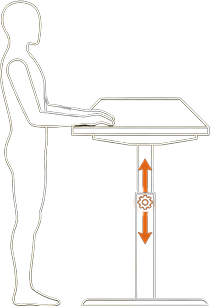
The ideal ratio is dynamic. Research suggests switching postures every 30–60 minutes. A common recommendation is 20 minutes sitting, 8 minutes standing, and 2 minutes moving.
Treadmill Desks: A Cognitive Trade-off?
Walking while working is excellent for metabolic health, but it comes with a trade-off. Typing speed and fine motor accuracy decrease while walking. Furthermore, complex cognitive tasks may suffer slightly.
Treadmill desks are best used for light work like checking email or taking calls, rather than deep, focused work.
The Future of Workstations: 2026 and Beyond
As we look toward 2026, the definition of an “ergonomic workstation” is expanding beyond physical furniture to include neurodiversity and biophilia.
- Neuro-inclusive Design: Modern ergonomics recognizes that brains work differently. For neurodivergent employees (e.g., those with ADHD or autism), “ergonomics” might mean having acoustic privacy, adjustable lighting to reduce sensory overload, and “fidget-friendly” seating. A truly ergonomic office provides zones for different cognitive styles.
- Biophilic Design: Integrating nature into the workstation is no longer just aesthetic. “Biophilic design”, adding plants, natural light, and natural textures, has been proven to lower blood pressure, reduce cortisol, and improve cognitive function. It is a biological intervention that hacks our evolutionary preference for natural environments.
- The Hybrid Standard: With hybrid work, the “ergonomic workstation” must be replicable at home. Companies are increasingly providing stipends for home office furniture because they realize that an employee working from a kitchen stool is an employee who will burn out.
Conclusion: An Investment in Longevity
The question “why is it important to have an ergonomic workstation” is answered by looking at the trajectory of your career and health. You cannot replace your spine. You cannot easily repair damaged nerves.
An ergonomic workstation is a force multiplier. It protects your biological hardware from failure, frees your mind from the distraction of pain, and enables a level of precision and endurance that is impossible in a poor environment. Whether you are a freelancer or a CEO, the logic is the same: If you want high performance, you must invest in the machine that produces it.
Action Plan:
- Audit your setup today. Is your monitor arm’s length away? Are your elbows too high or far when typing?
- Decouple your laptop. If you do nothing else, buy a laptop stand and an external keyboard.
- Move. The best ergonomic position is your next one.
By prioritizing ergonomics, you aren’t just making your day more comfortable, you are securing your future health and maximizing your earning potential.